
Put the Gurbani that's on the screen into your live stream, as captions. Here's how.
Before you start
- Tat Khalsa Pothi Desktop open on the computer that runs your streaming software.
- OBS Studio, vMix or Wirecast.
- Your canvas size, for example 1920 by 1080.
Step by step
Copy the address
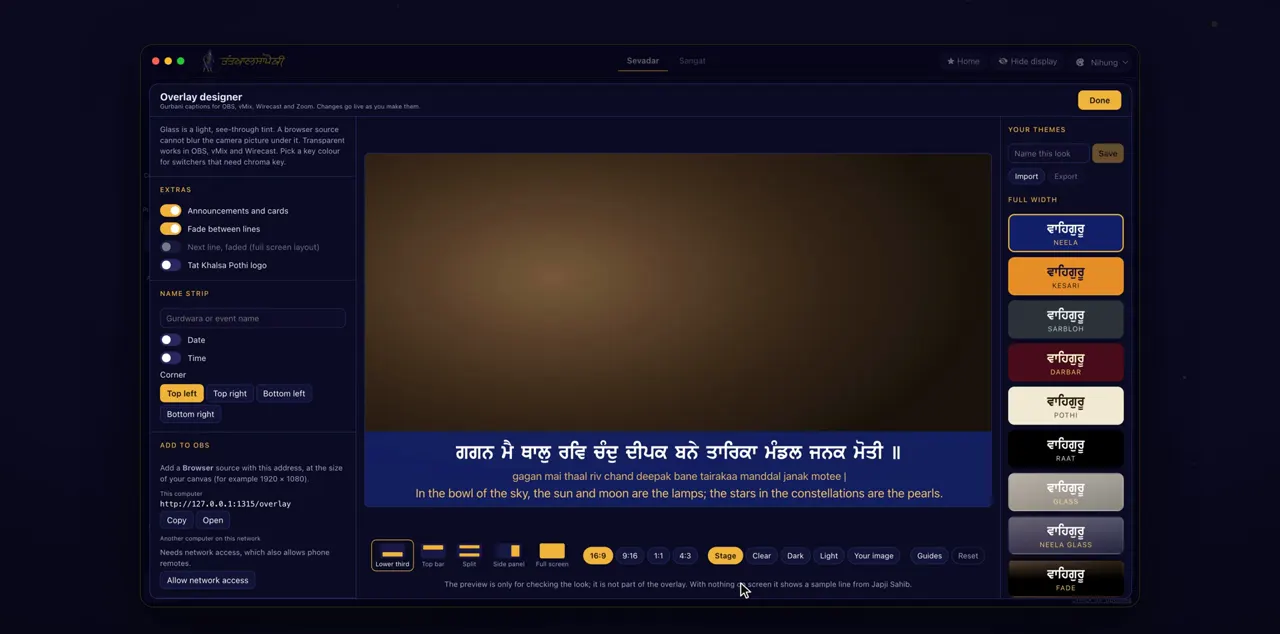
Click Overlay on the left. Under Add to OBS, copy the address for this computer.
Overlay is on the rail down the left of the window, and opens the overlay designer. Add to OBS has two addresses. Use the one under This computer, which starts with http://127.0.0.1 and ends in /overlay.
A Browser source in OBS
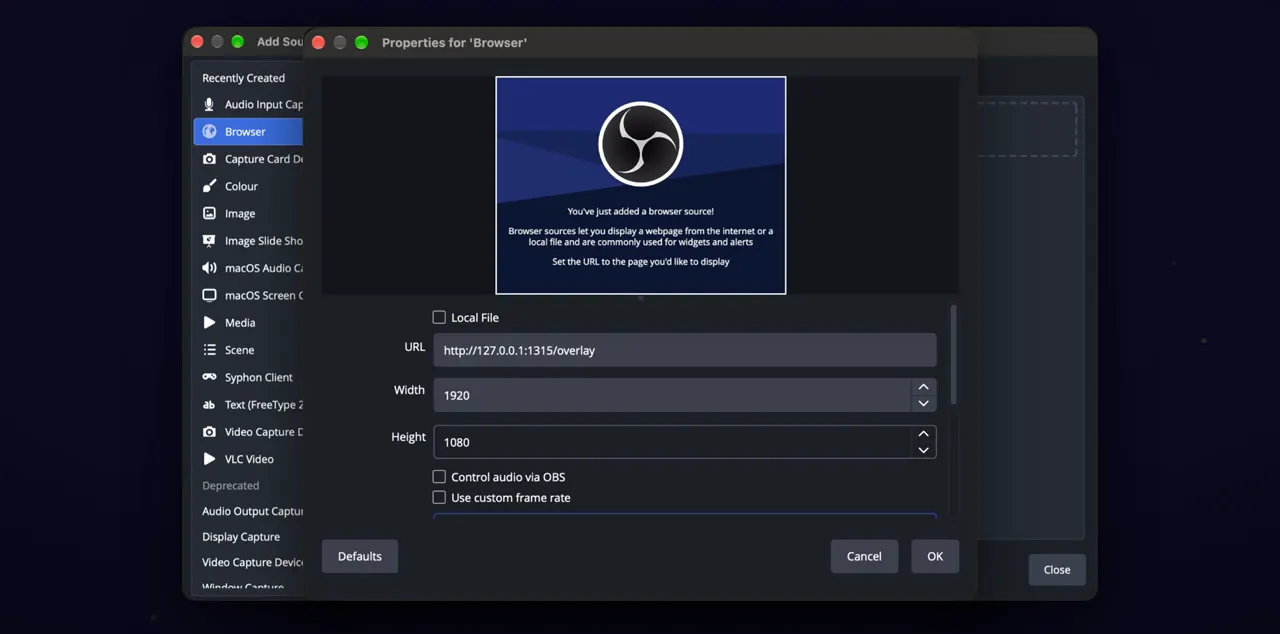
In OBS, add a Browser source, paste the address, and set the size of your canvas, for example 1920 × 1080.
In OBS, click the plus under Sources and choose Browser. Paste the address into the URL box, type your canvas width and height, and click OK. You can add it to an existing scene or make a new scene for it.
It follows the screen
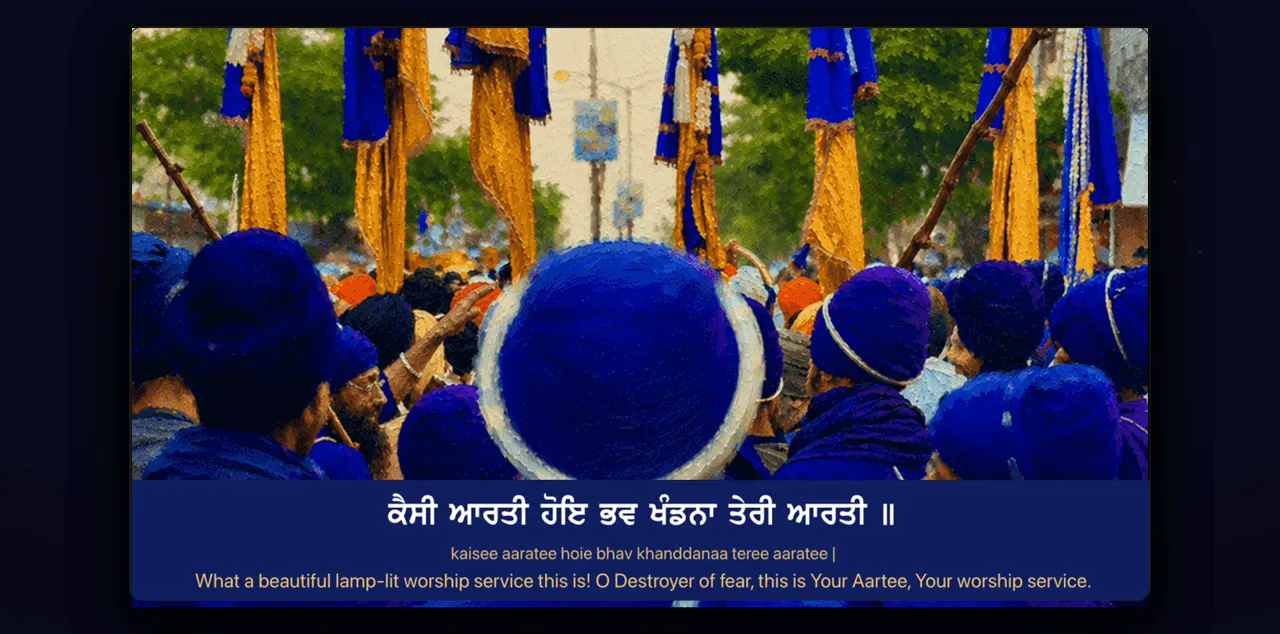
The captions now follow the screen, line by line, with the look you chose in the designer.
Outside the captions the overlay is transparent, so your camera picture shows through. To change how the captions look, see the guide Design captions for a live stream.
vMix and Wirecast
In vMix or Wirecast, add a web browser input with the same address.
Tips
- Keep Tat Khalsa Pothi open while you stream. The captions come from the app on this computer.
- Remotes, then OBS and Zoom captions, then Open overlay designer takes you to the same place as Overlay on the rail.
- Copy the address from the app rather than typing it from memory, because the number in it can change.
Questions
OBS is on a different computer from Tat Khalsa Pothi. Can I still use the captions?
Yes, if both computers are on the same network. Under Add to OBS, use the address for Another computer on this network instead. It needs network access, which also allows phone remotes.
Will the captions cover my camera picture?
Only where the captions are. The rest of the overlay is transparent.
Do the captions change on their own?
Yes. The captions follow the screen line by line, so whatever you show in Tat Khalsa Pothi appears in your stream.