
Gurbani on the Gurdwara screen
Tat Khalsa Pothi for desktop is a free Gurbani presentation app for Gurdwaras, programmes and live streams. Find any shabad, baani or ang in seconds and show it line by line on a projector or TV. Phones on the same Wi-Fi become remotes, and a captions overlay goes straight into OBS.
Free · No account · No ads · No analytics · Works offline
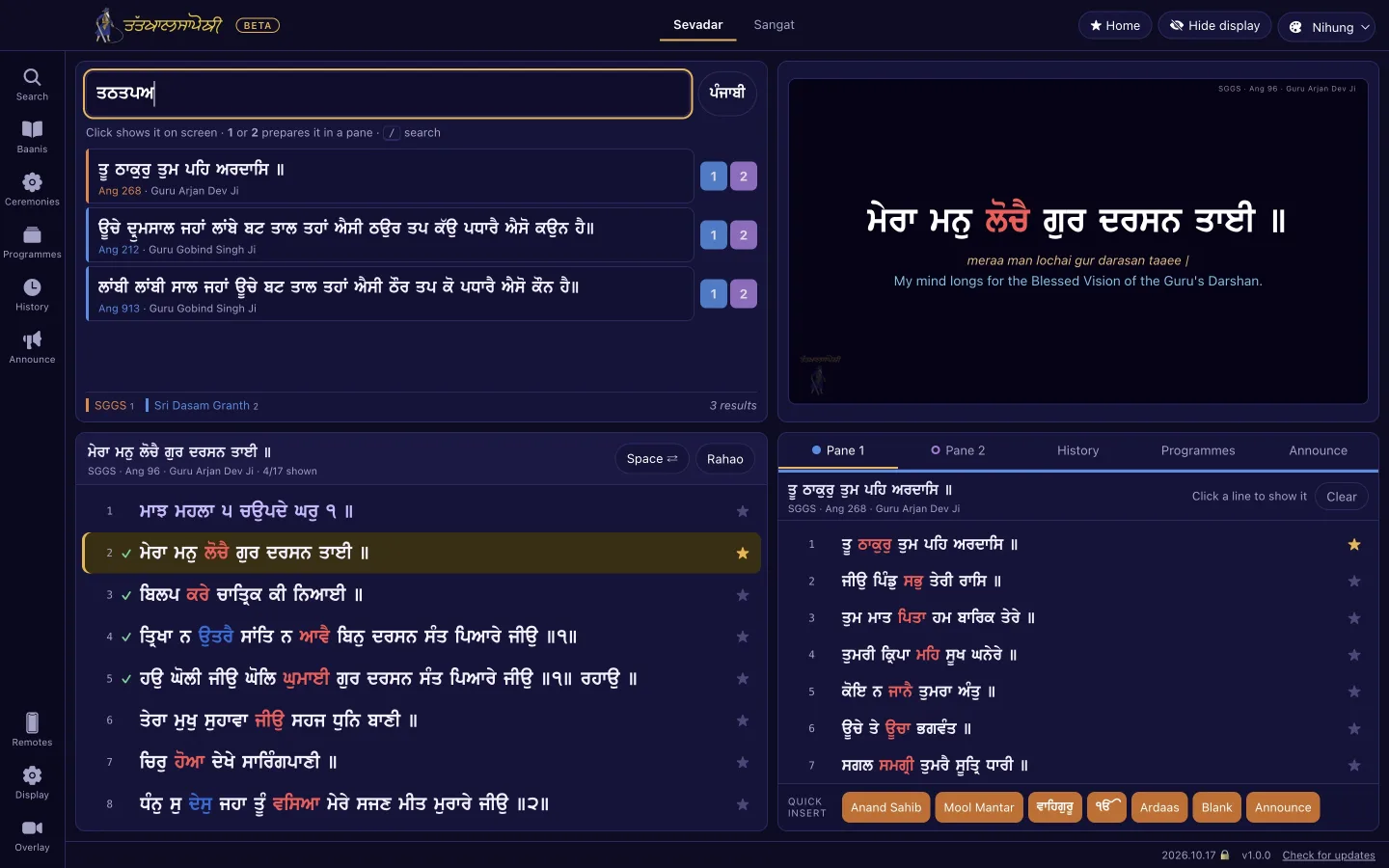
Three steps to the first shabad
- 1
Connect a projector or TV
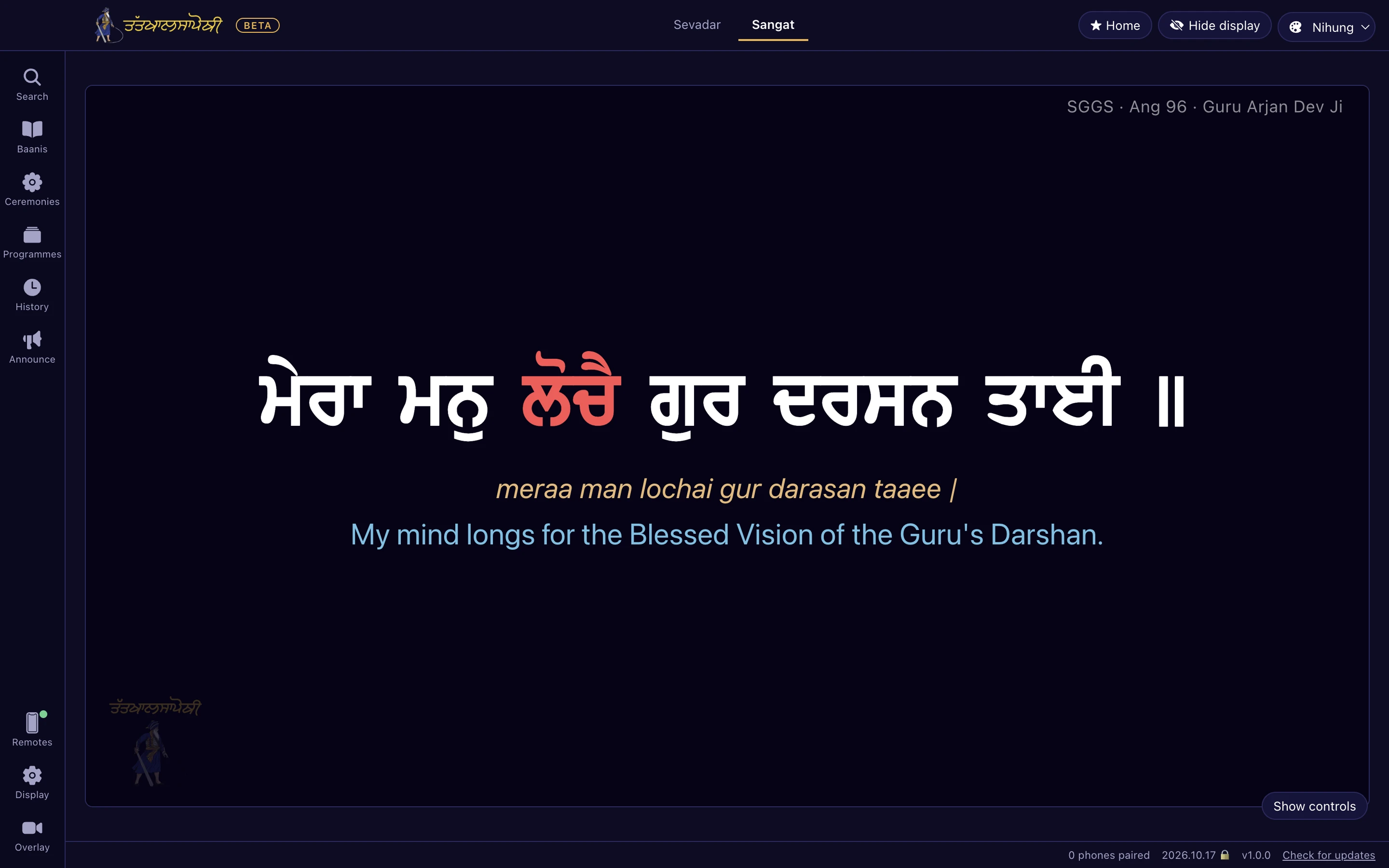
The app sees the second display and opens the projector window on it by itself. One screen only? Sangat mode turns the window itself into the screen.
- 2
Find a shabad
Type the first letters in Gurmukhi or English, or an ang number. Results show the ang, writer and raag, colour-coded by granth.
- 3
Show it line by line
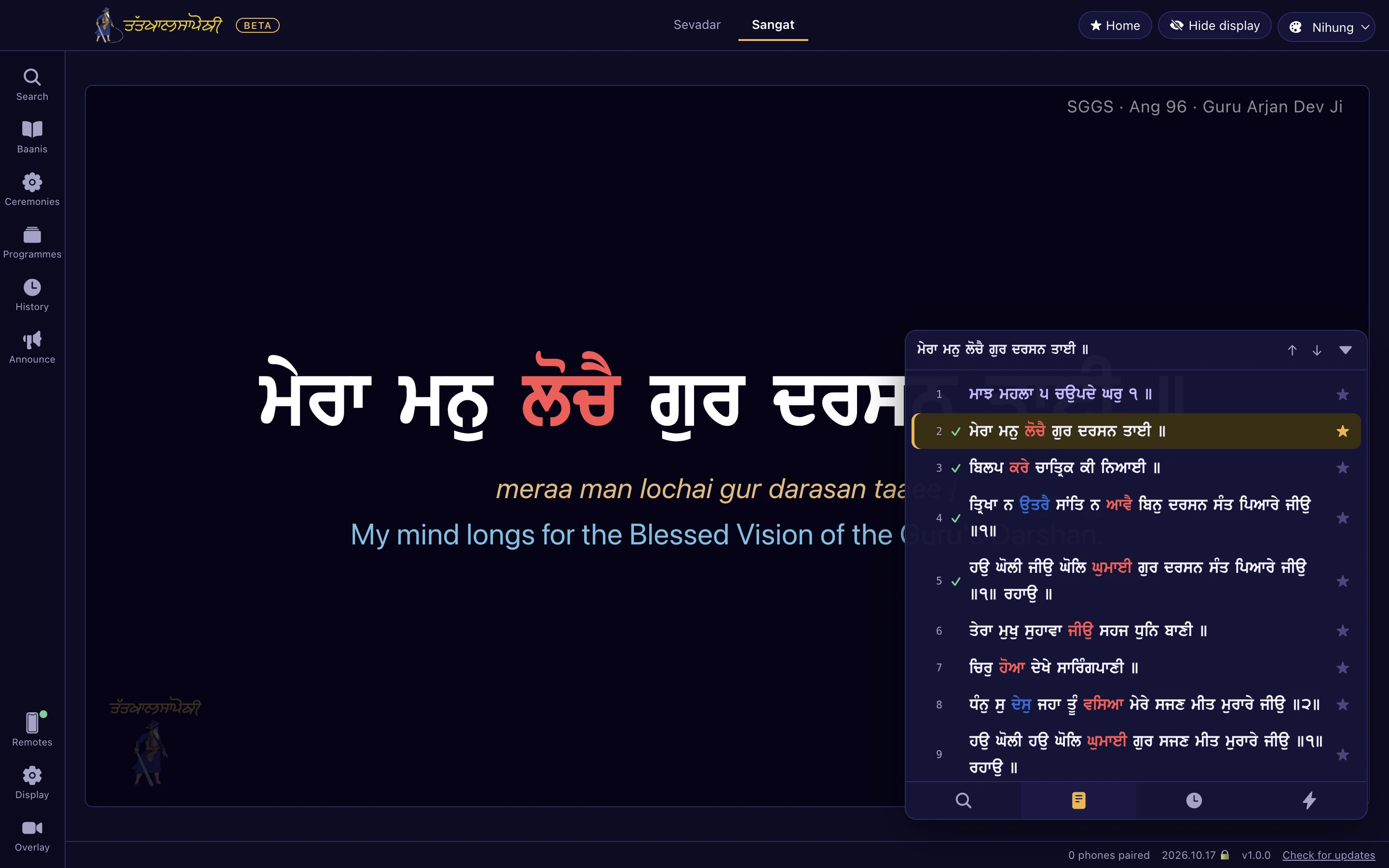
Press Space for the next line. Checkmarks show what has been shown. Or hand a phone to someone and let them drive it.
Two screens for the sevadar, one for the sangat
The app opens in Sevadar mode and switches to Sangat in one click, at any time. The projector window opens and closes by itself when a cable is plugged in or pulled out.
Every shabad, baani and ang, offline
First-letter search
Type the first letter of each word, in Gurmukhi with a Gurmukhi keyboard layout or in English letters such as asjs. Opening a result starts on the verse you searched for and makes it the home line.
Jump to an ang
Type an ang number and choose Sri Guru Granth Sahib Ji, Sri Dasam Granth Sahib Ji or Sri Sarbloh Granth Sahib Ji. Results show ang, writer and raag with a granth filter.
Complete Dasam and Sarbloh Granth
The whole of Sri Dasam Granth Sahib Ji and Sri Sarbloh Granth Sahib Ji, not excerpts. Few presentation apps carry these.
Baanis panel
The Pothi app's pothis and baanis, with Nitnem in several maryadas and many more, open from one panel from their very first line, mangal and titles included.
Prepare ahead
In Sevadar mode two prep panes load the next shabads quietly without showing them. Click a line when it is time.
History and checkmarks
Every line shown gets a checkmark, so "where were we" is always answered. Every shabad, baani or ang shown is kept in History with its place, and one click resumes it.
One hand on the keys during kirtan
Every frequent action is a single key, so the sevadar never has to find the mouse while the jatha is singing.
Paath reads straight through. Reaching the end of an ang carries on into the next, across the whole granth, and the ‹ Ang and Ang › buttons jump a whole ang at a time.
| Key | Action |
|---|---|
| Space | Smart step: off the home line it goes home; on the home line it goes to the next line not yet shown |
| ↓ / → and ↑ / ← | Next and previous line |
| H / R | Home line / Rahao |
| 1 – 9 | Jump to a line number (type 1 then 2 for line 12) |
| B | Blank the screen; the background stays so the room does not flash |
| / | Search |
| A | Announcement |
| T / L / V / N | Translations / larivaar / vishraam style / next-line preview |
| + / − | Text size |
Any phone on the Wi-Fi is a remote
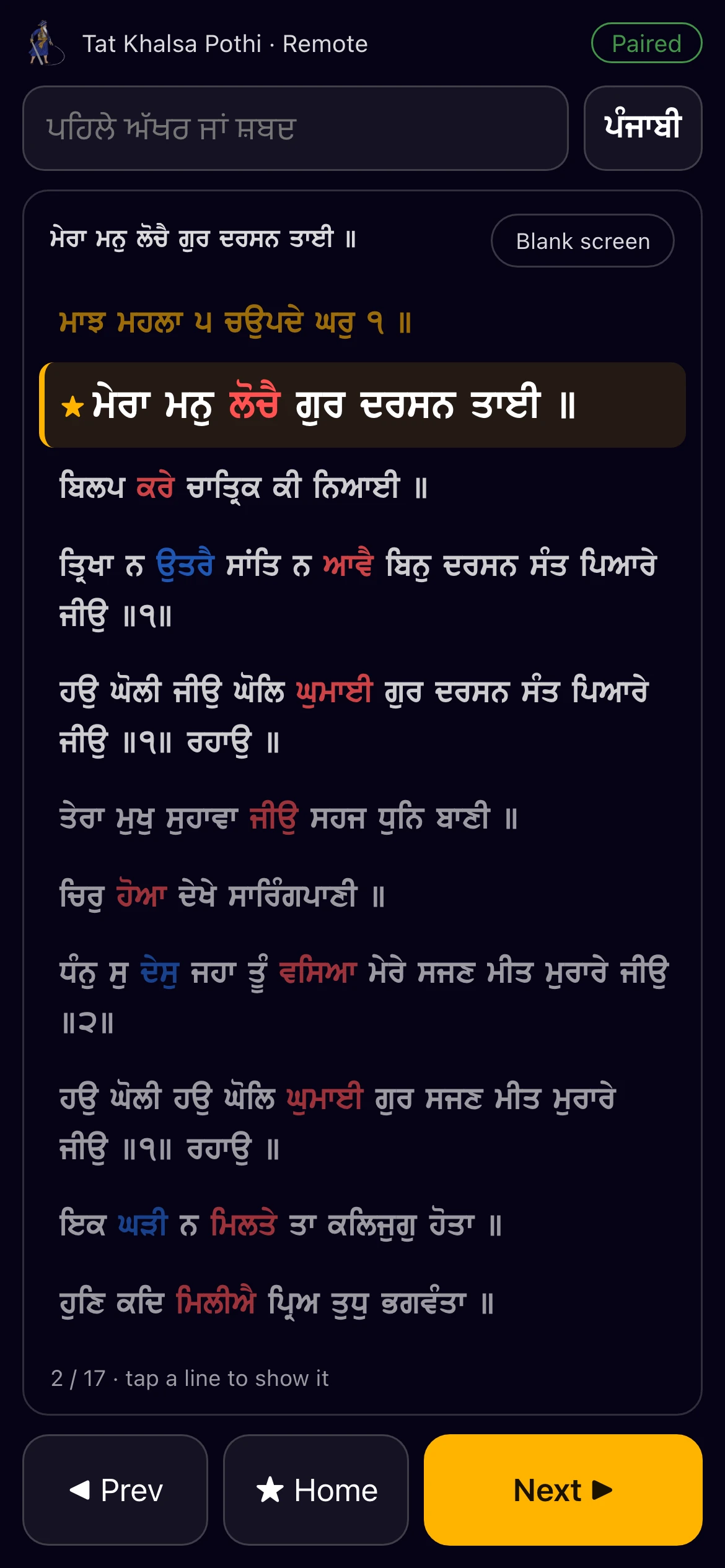
Turn on "Allow phone remotes". The laptop shows a QR code and scanning it pairs the phone, or type the 6-digit PIN. No app to install; it opens in the phone's browser.
- Search, and the shabad's lines; tap one to show it.
- Prev, Home, Next and Blank buttons.
- Local Wi-Fi only. Nothing goes over the internet, it is off until switched on, and every phone can be disconnected with one click.
- A read-only viewer for more TVs or a second projector opens in any browser on the same network.
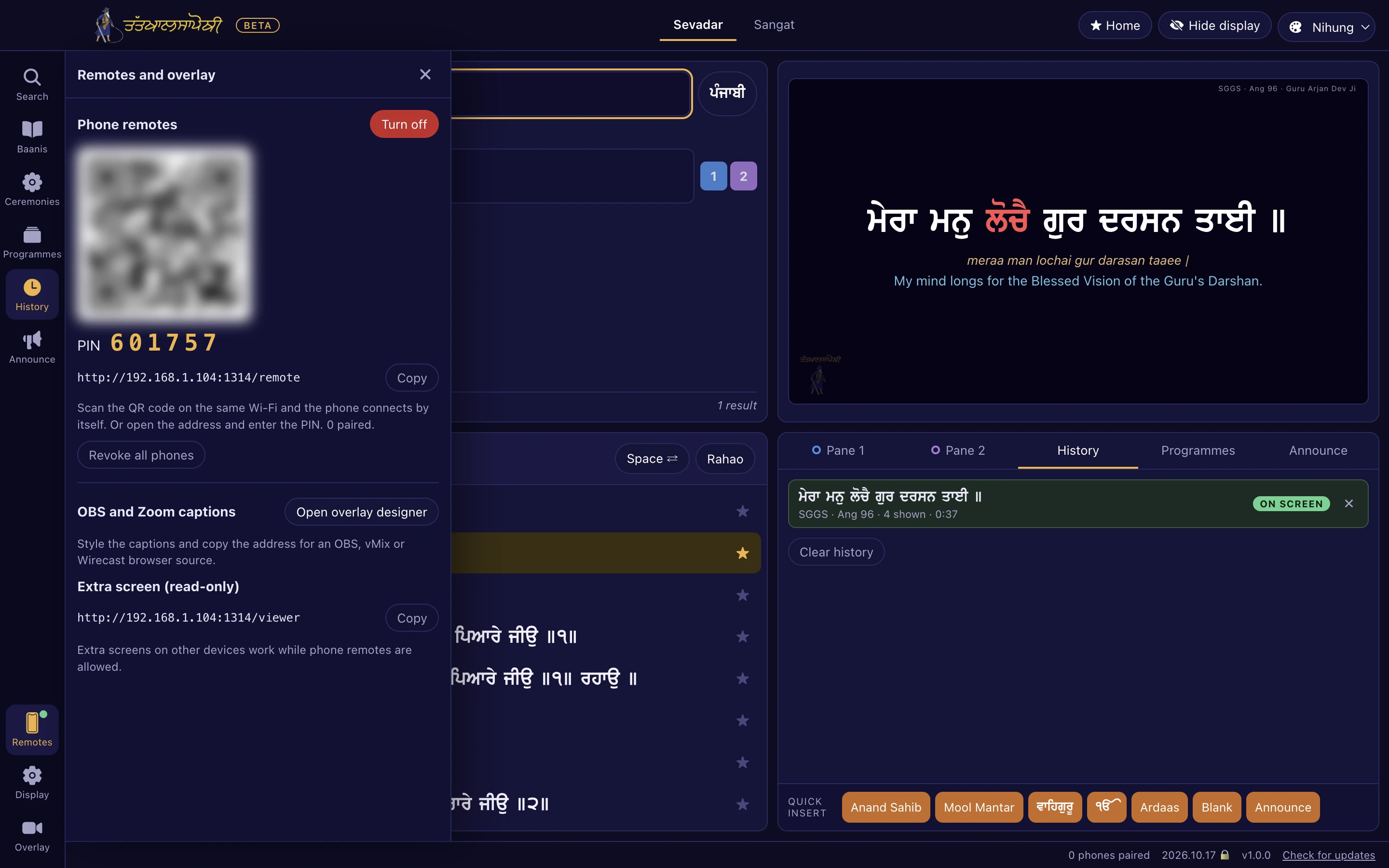
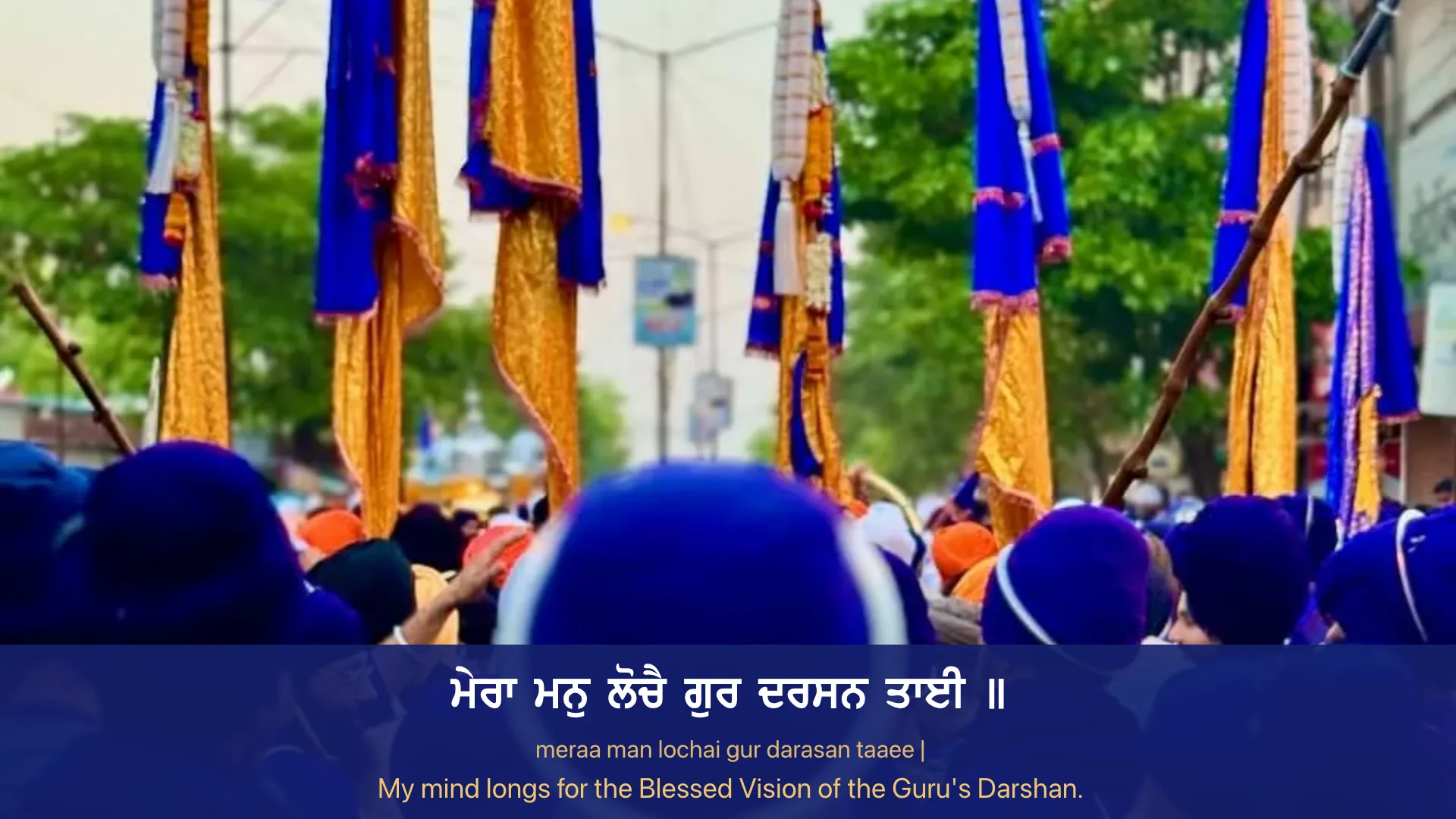
Gurbani captions in OBS, vMix or Wirecast
Add one browser source and the current line appears on the stream as it is shown in the hall. On the same computer the address is always http://127.0.0.1:1313/overlay.
Layouts and themes
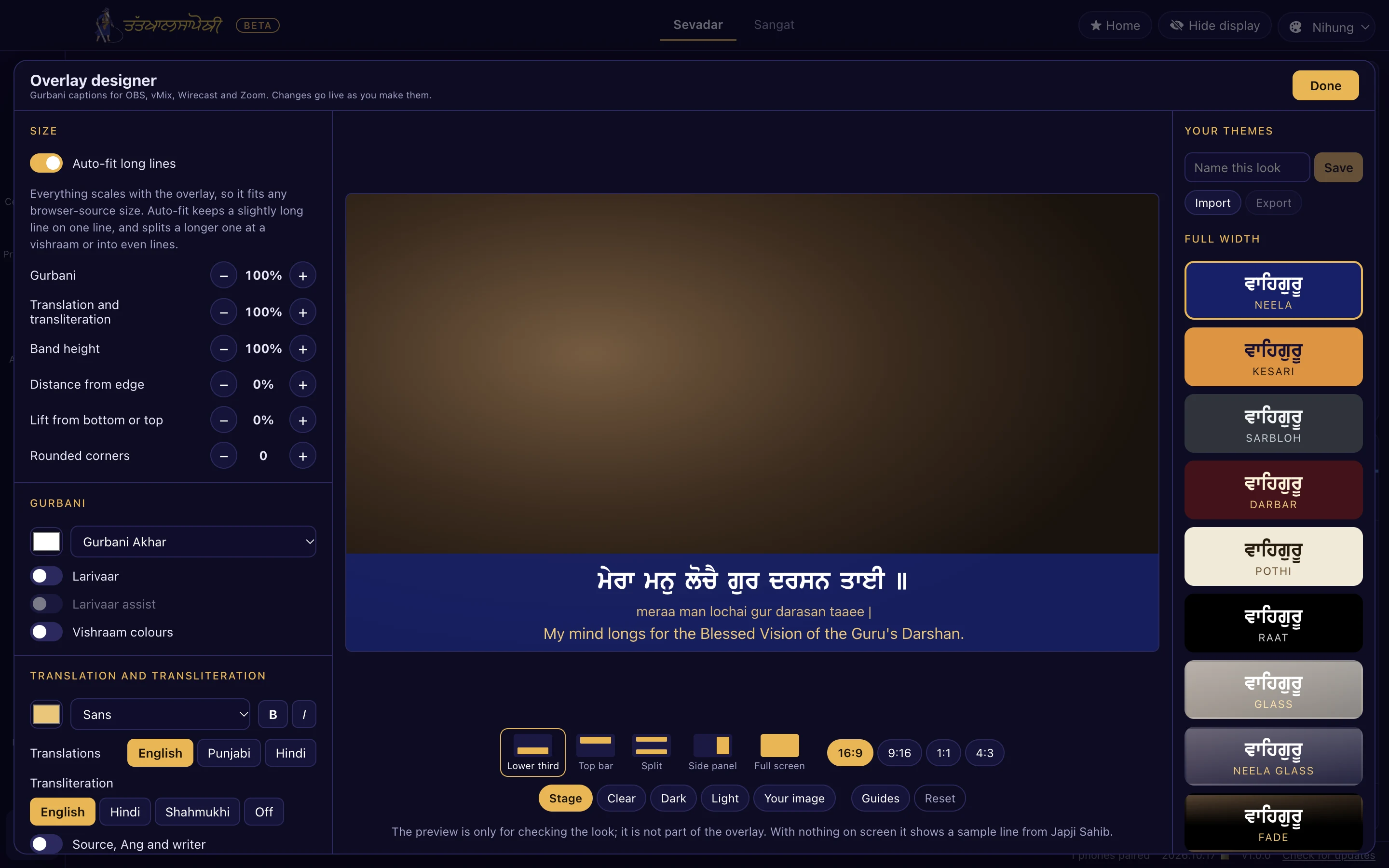
Lower third, top bar, split, side panel or full screen. Themes include Neela, Kesari, Sarbloh, Darbar, Pothi, Raat, Glass and Fade variants, and Clean. Save your own and export or import them.
Text that fits
Smart auto-fit keeps long lines on one line or breaks them at a vishraam. Translations, plus transliteration in English, Hindi or Shahmukhi.
Stream extras
A name strip for the Gurdwara or event with live date and time, a logo, a key colour for chroma key, and safe areas for vertical video on YouTube Shorts, Reels and TikTok.
A running order, ready before the sangat arrives
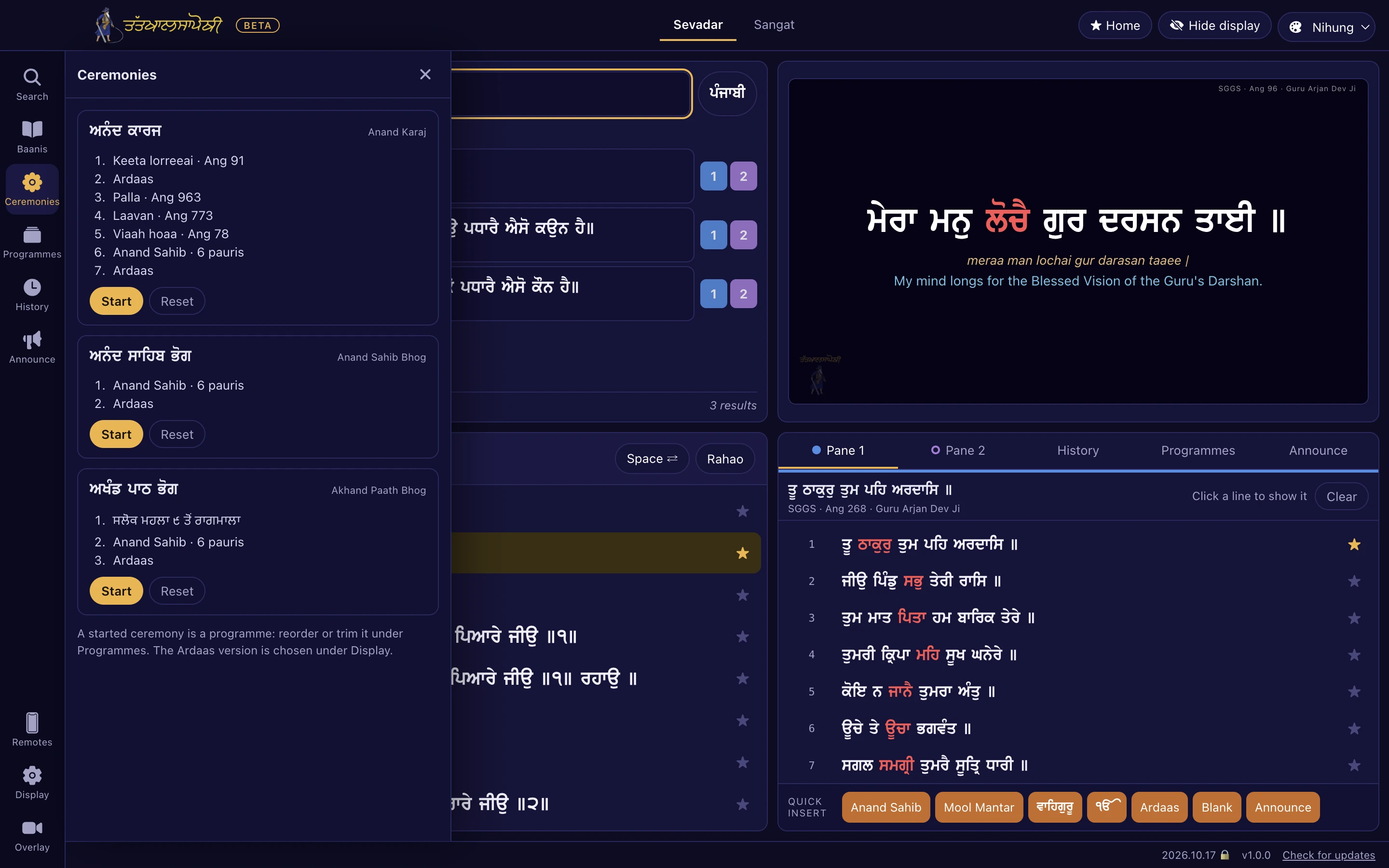
A programme is a saved order of shabads, baanis and announcement slides, stepped through with the same keys. Three ceremonies are built in and can be edited once started:
- Anand Karaj: Keeta Lorreeai, Ardaas, Palla, Laavan, Viaah Hoaa, Anand Sahib (6 pauris), Ardaas.
- Anand Sahib Bhog.
- Akhand Paath Bhog: Salok Mahala 9, Mundavani, Salok Mahala 5, Raagmala, Anand Sahib, Ardaas.
One-tap inserts for Mool Mantar, Anand Sahib (6 pauris), Ardaas in five versions (Budha Dal, Shaheedi Baagh, Damdami Taksaal, Hazuri, Nanaksar), and ਵਾਹਿਗੁਰੂ and ੴ cards. Announcement slides in Gurmukhi and English for langar or the next programme.
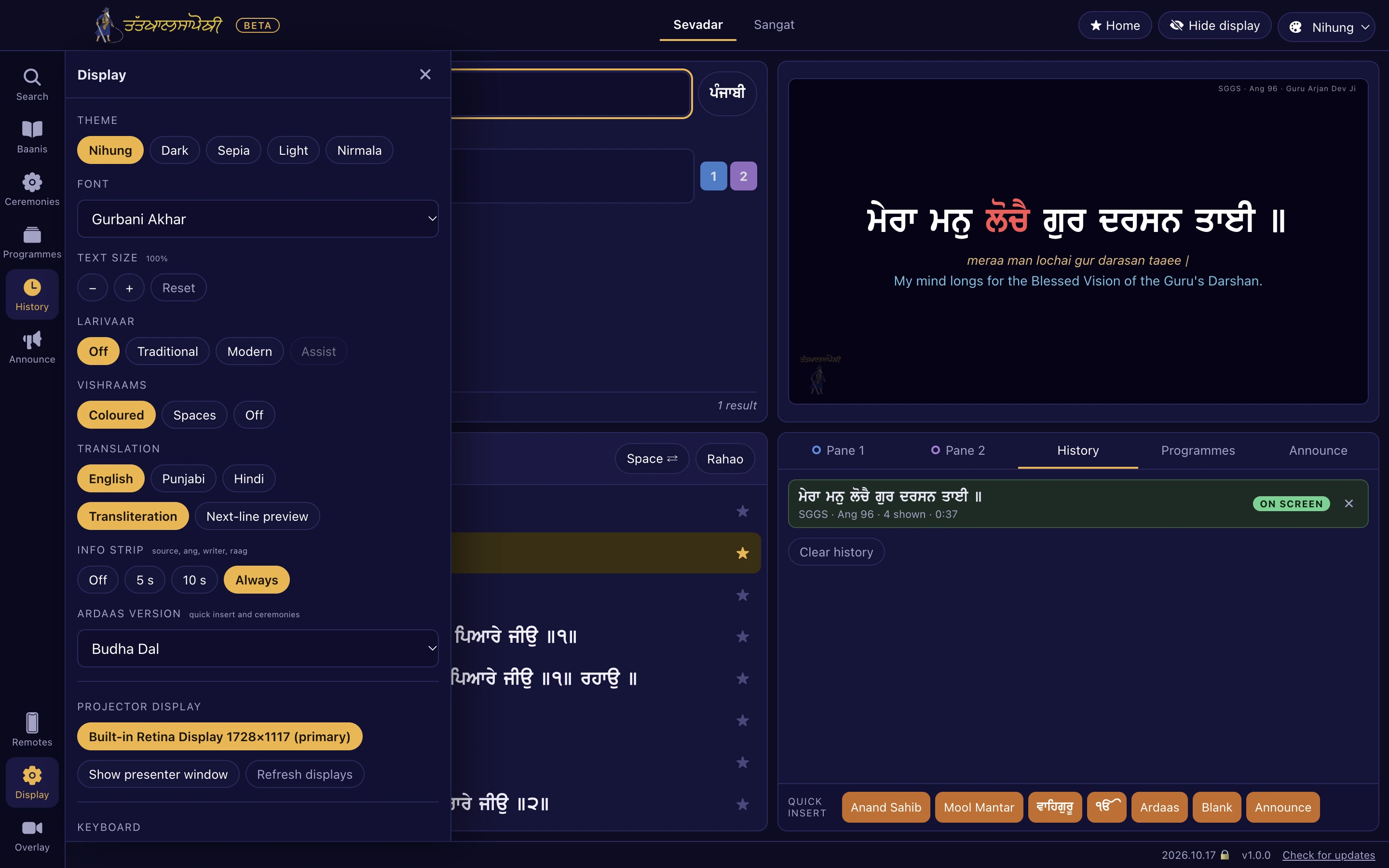
Eight Gurbani fonts, five themes, your maryada
The same fonts, vishraams and larivaar as the Tat Khalsa Pothi phone app, sized to match each other so switching fonts never changes the layout.
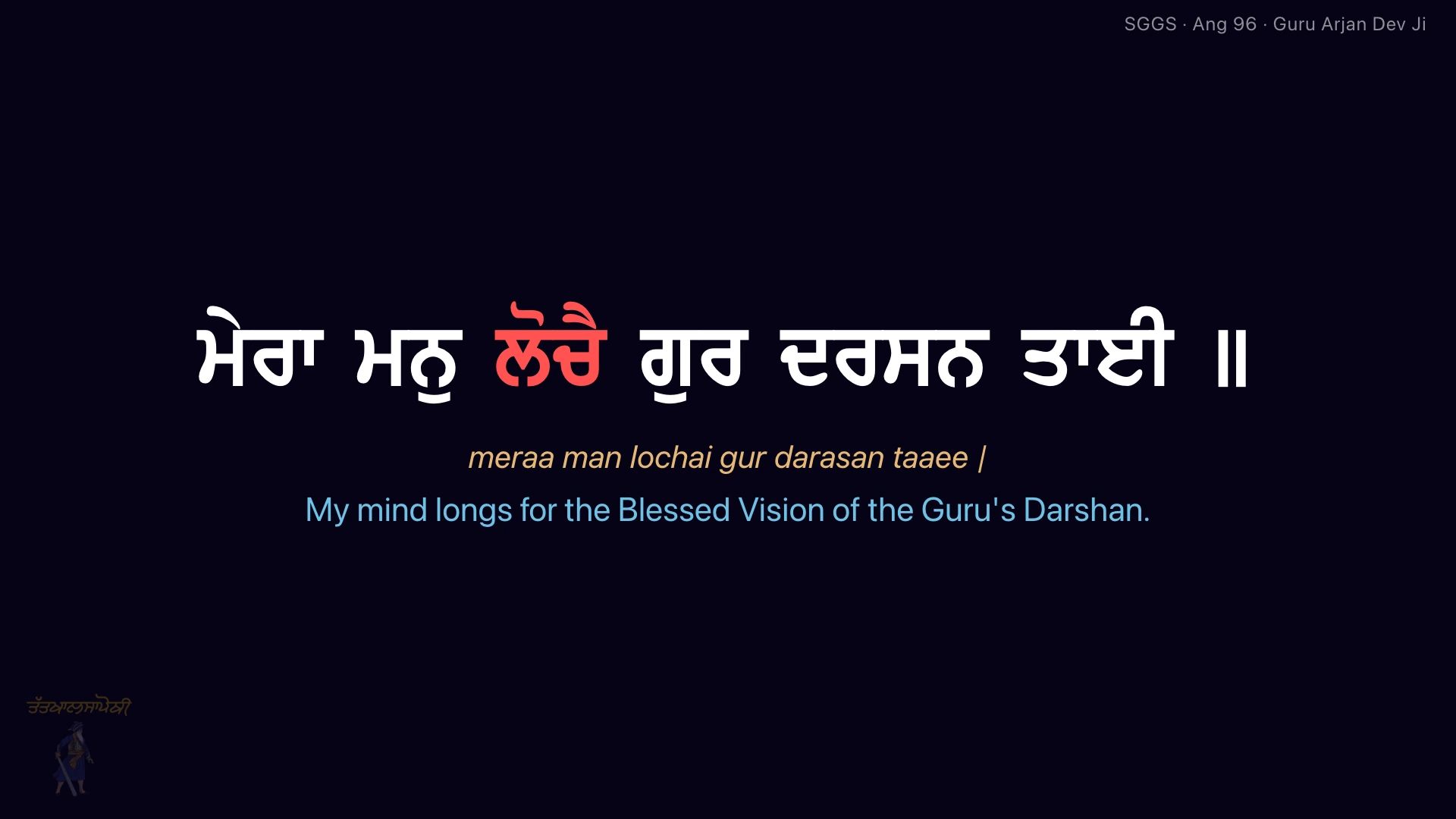
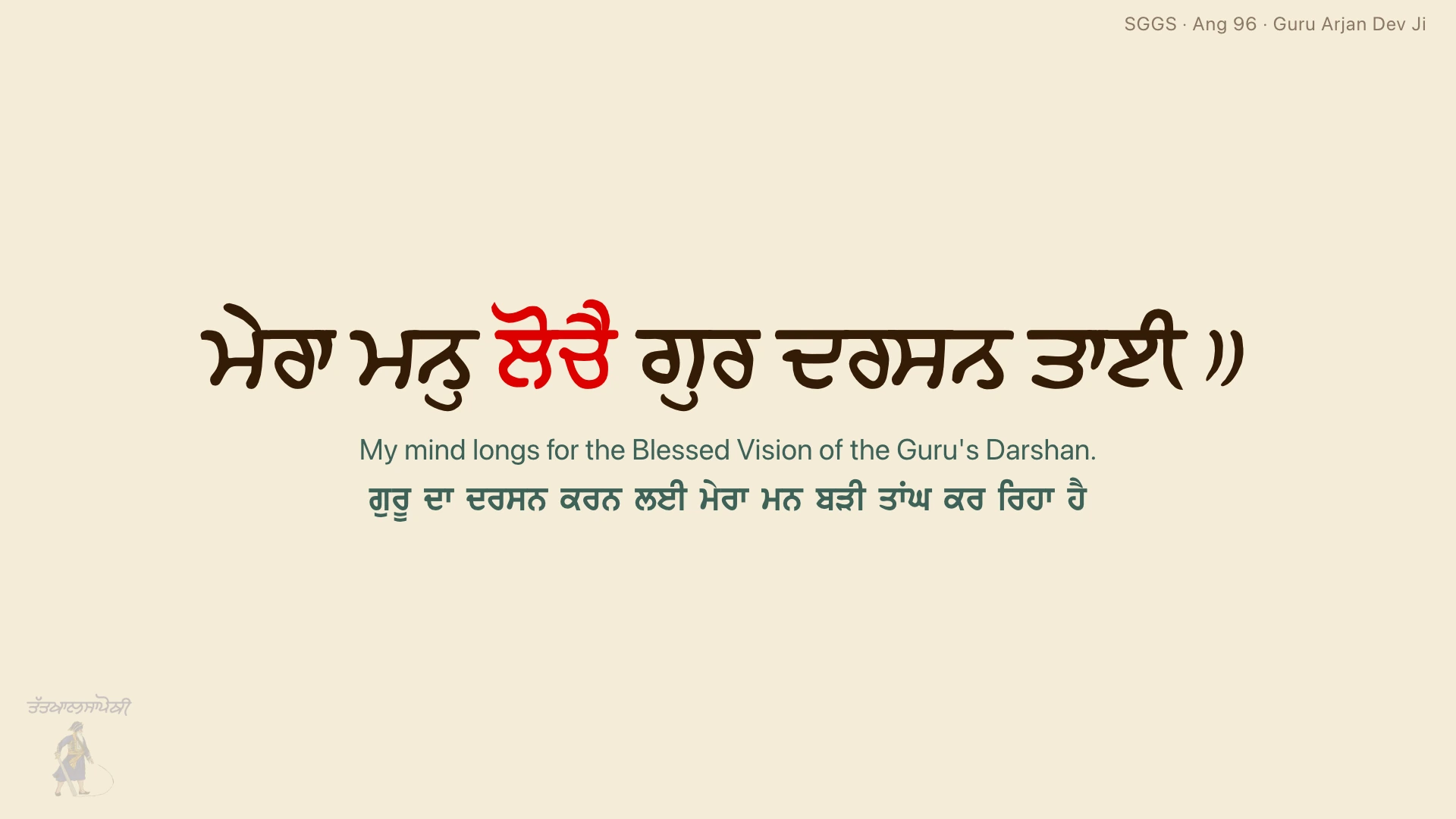
Fonts
Projector themes
- Vishraams coloured, shown as spaces, or off.
- Larivaar traditional or modern, with optional Larivaar Assist.
- Translations in English, Punjabi and Hindi, any combination at once, plus English transliteration and an optional faint next line.
- Info strip off, for 5 or 10 seconds, or always. When nothing is on screen, the mangal and the Tat Khalsa Pothi logo show.
Do I need internet?
No. The Gurbani database, fonts and translations are inside the app, so search and the projector work with no connection. Internet is only used to download the app and to check for updates.
Does the phone need an app?
No. Turn on "Allow phone remotes" on the laptop and scan the QR code, or type the 6-digit PIN. The remote opens as a page in the phone’s browser. Nothing is installed.
Why does Windows warn me when I install?
The Windows installer is not code-signed yet, so SmartScreen may show a warning the first time. Choose More info, then Run anyway. The warning appears only on the first install, not on updates. The Mac app is signed and notarized by Apple and opens without warnings.
How do updates work?
The app checks for a new version when it starts, downloads it in the background and installs it the next time the app is closed. It never restarts in the middle of a programme.
Will it be in the Mac App Store or Microsoft Store?
Both listings are planned and coming soon. Until then, download from this page. The website version and the store versions will have the same features.
Do the phone and the laptop need to be on the same Wi-Fi?
Yes. The remote and the extra screens work over the local network only, so nothing goes over the internet. If the Gurdwara router keeps devices apart, connect both the laptop and the phone to a phone hotspot.
Free for every Gurdwara
Version 1.0.0, beta. Website installs keep themselves up to date: the app checks on launch, downloads in the background and installs when it is closed.
Reading on a phone or in the browser? The Tat Khalsa Pothi app is free on iPhone, Android and the web.