
For Anand Karaj or a Bhog, the whole order is ready to start. Here's how.
Before you start
- Tat Khalsa Pothi Desktop installed, with a projector or TV connected.
- The Ardaas version your Gurdwara uses: Budha Dal, Shaheedi Baagh, Damdami Taksaal, Hazuri or Nanaksar.
- It helps to know the Programmes tab first, because a started ceremony becomes a programme.
Step by step
The ceremonies
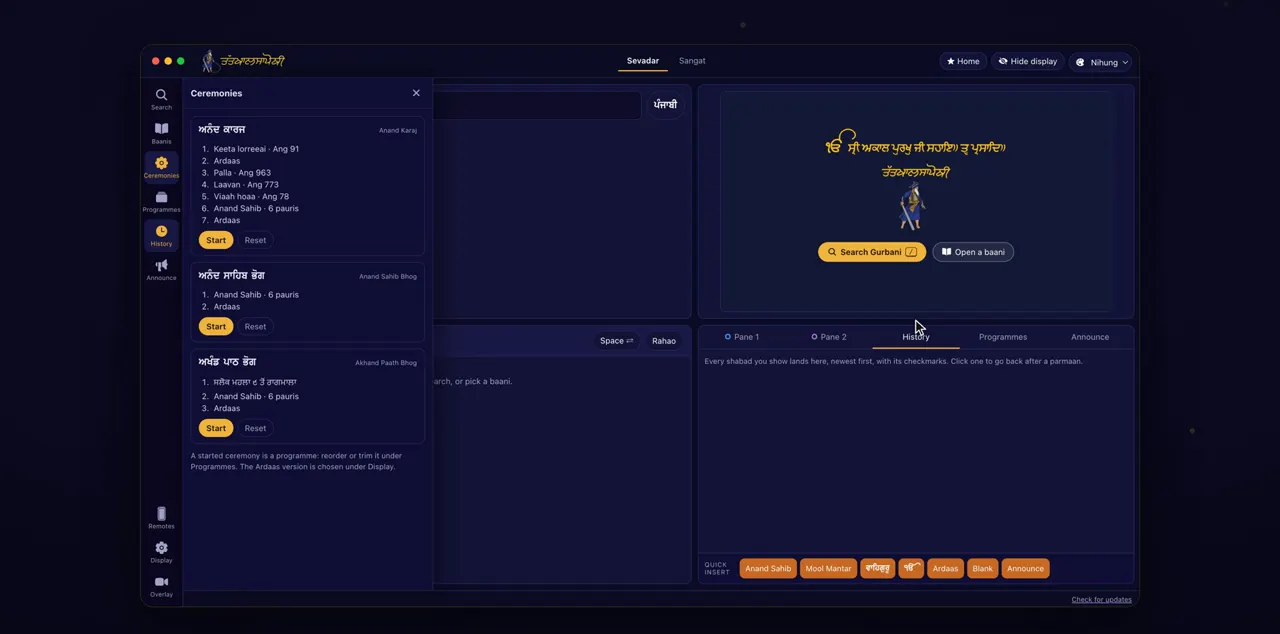
Click Ceremonies on the left. Anand Karaj, Anand Sahib Bhog and Akhand Paath Bhog are there, each in its customary order.
Ceremonies is on the rail on the left side of the window. Each ceremony lists its steps, so you can check them before you start. Anand Sahib Bhog is Anand Sahib (6 pauris) and Ardaas; Akhand Paath Bhog runs from Salok Mahalla 9 to Raagmala, then Anand Sahib (6 pauris) and Ardaas; Anand Karaj includes the Laavan.
The Ardaas version
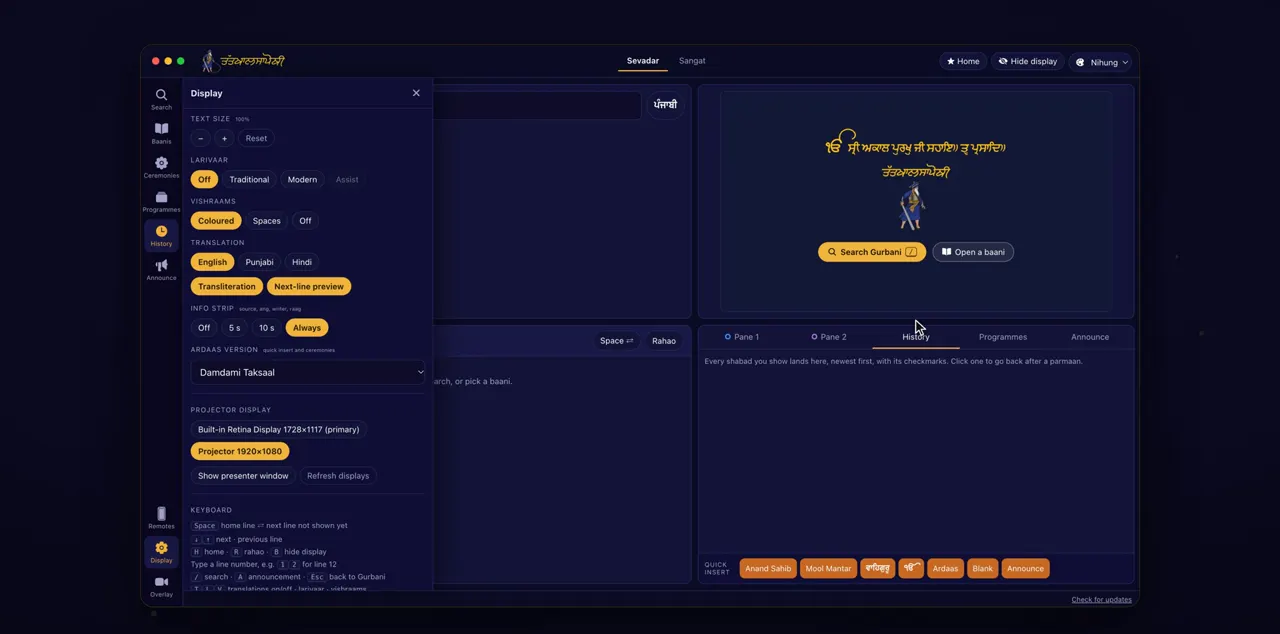
First, choose your Ardaas version under Display. Ceremonies and the Ardaas button use it.
Click Display on the rail and scroll to Ardaas version, then pick from the list. The version is taken when a ceremony is built, so choose it before you click Start.
Start
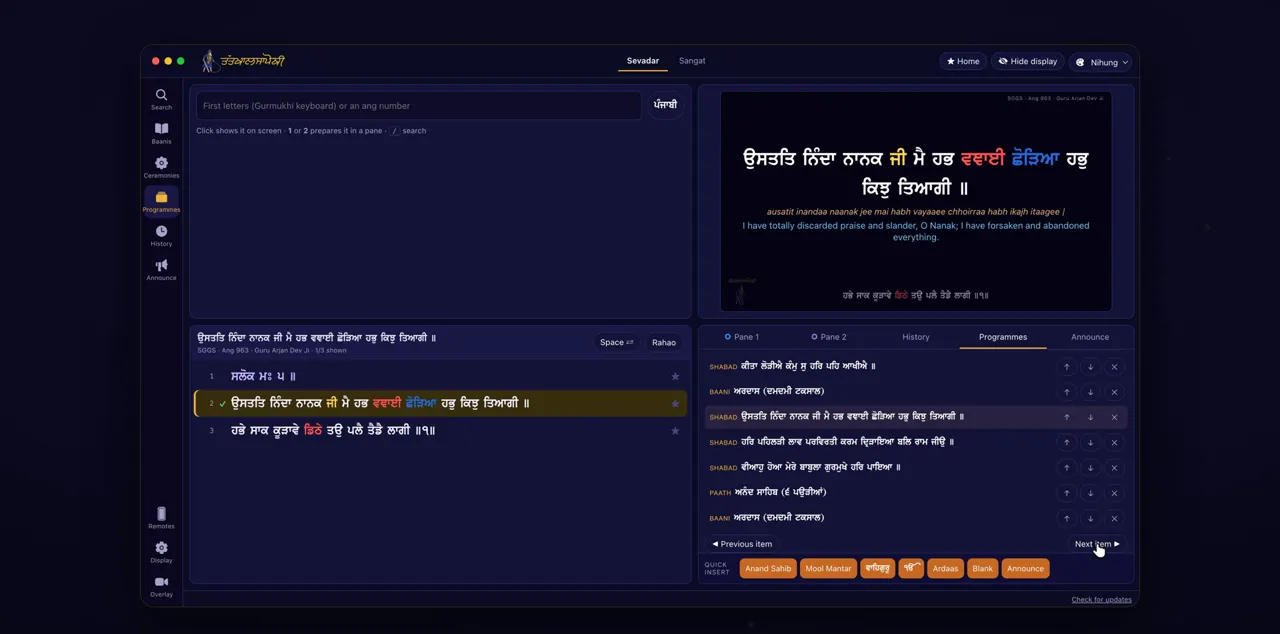
Click Start. The first shabad goes on the screen, and Next moves on through the ceremony.
Start saves the ceremony as a programme and starts it. ◀ Previous, Next ▶ and Stop then appear, and you can click any step to go straight to it.
Change it, or Reset
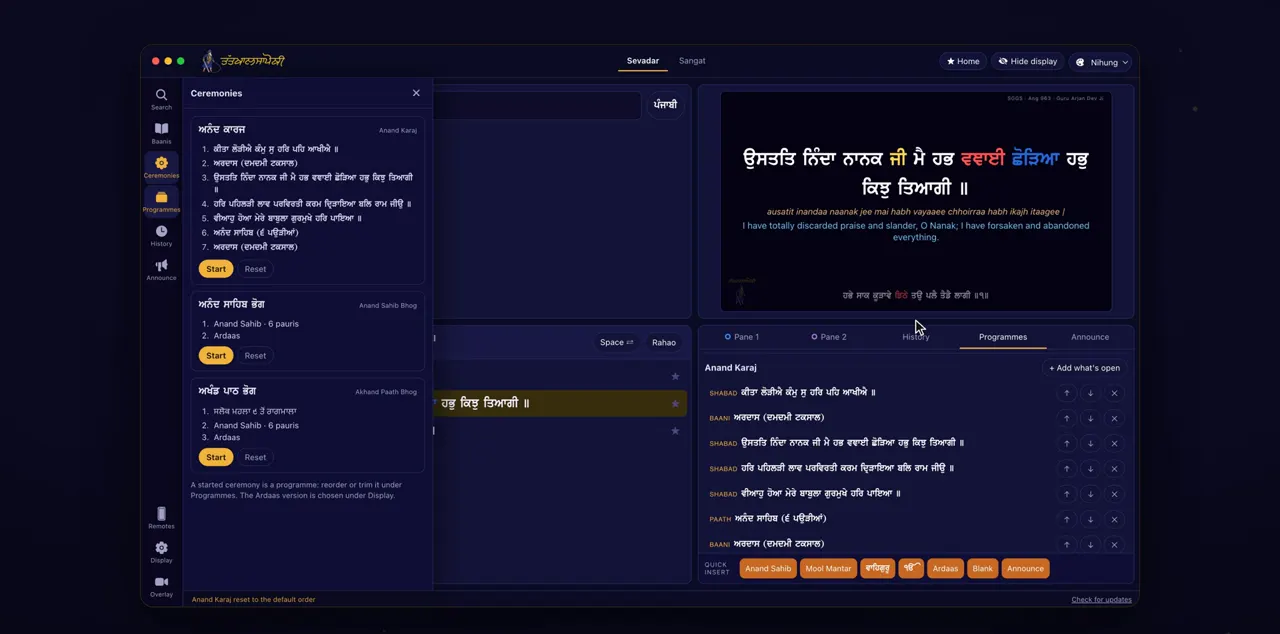
Once started, it's a programme: change it under Programmes. Reset brings back the usual order.
Open the Programmes tab to find the ceremony as a programme. Move steps with ↑ and ↓, or remove one with ✕. Reset is in Ceremonies and rebuilds the ceremony in its default order.
Tips
- Set the Ardaas version once, before the first ceremony. The Ardaas quick insert uses the same setting.
- If a step was removed by mistake, Reset brings back the full order.
Questions
Which ceremonies are built in?
Anand Karaj, Anand Sahib Bhog and Akhand Paath Bhog, each in its customary order.
Which Ardaas versions can I choose?
Budha Dal, Shaheedi Baagh, Damdami Taksaal, Hazuri and Nanaksar. Choose under Display, in Ardaas version.
Can I change the order of a ceremony?
Yes. Once you click Start, the ceremony is an ordinary programme. Change or trim it under Programmes.
How do I get the usual order back?
Click Reset in Ceremonies. It rebuilds the ceremony from the default order.