
While one shabad is on the screen, you can get the next one ready, and go back to an earlier one. Here's how.
Before you start
- Tat Khalsa Pothi Desktop installed on your Mac or Windows computer.
- A shabad on the screen.
- Knowing how to search by first letters. Find a shabad shows how.
Step by step
Prepare it in a pane
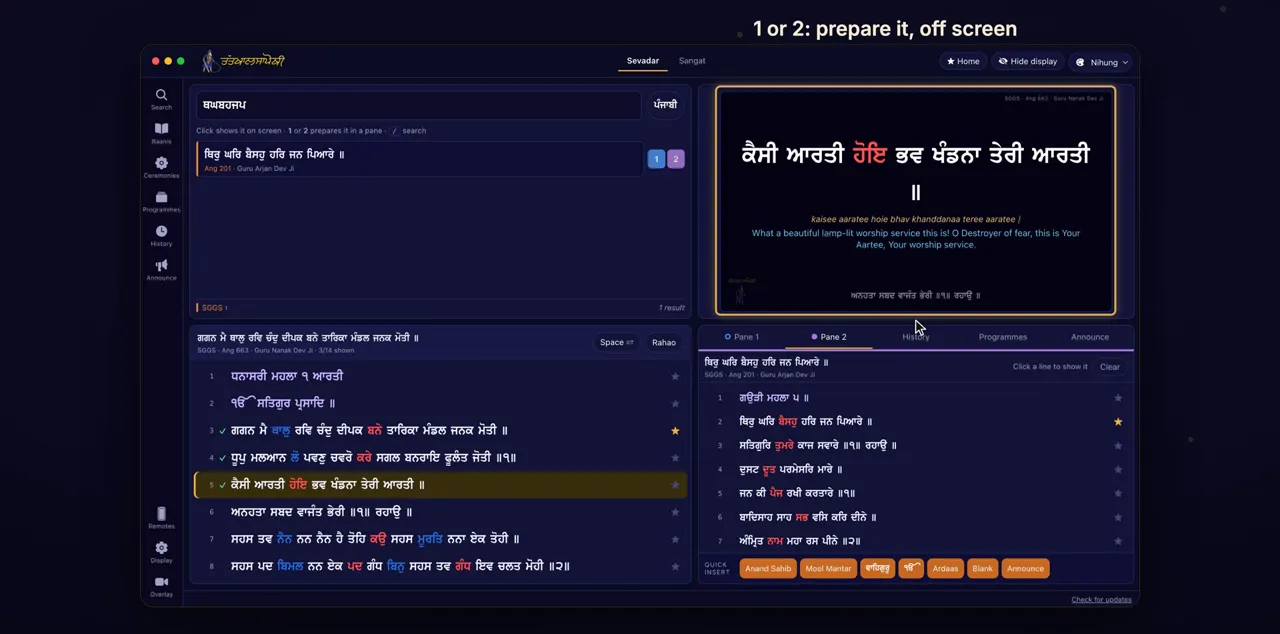
Search for the next shabad, and click 2 beside it. It's prepared in Pane 2, and nothing changes on the screen.
Results start to appear from the third letter you type. Every result has a 1 and a 2 button: 1 prepares the shabad in Pane 1 and 2 in Pane 2, without showing it. Pane 1 and Pane 2 are tabs on the right of the app, beside History.
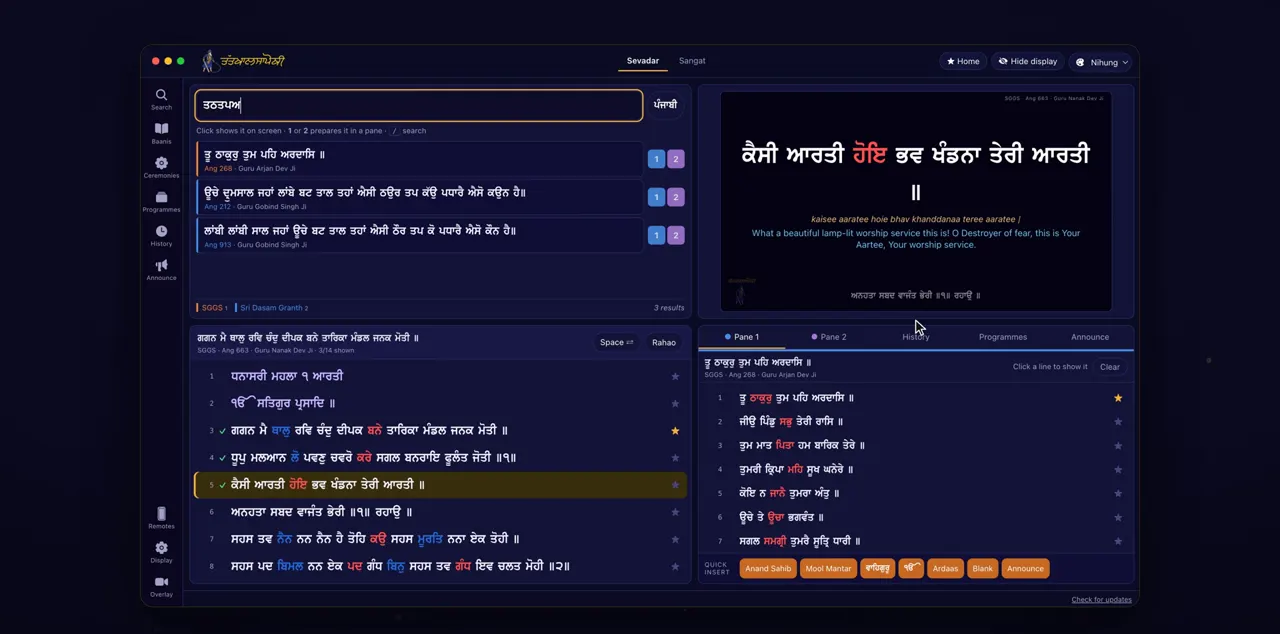
Shift + Enter → Pane 1
From the keyboard, Shift and Enter puts the top result in Pane 1.
Press Shift and Enter while the cursor is in the search box. Plain Enter shows the top result on the screen at once, so keep Shift held down.
On screen from a pane
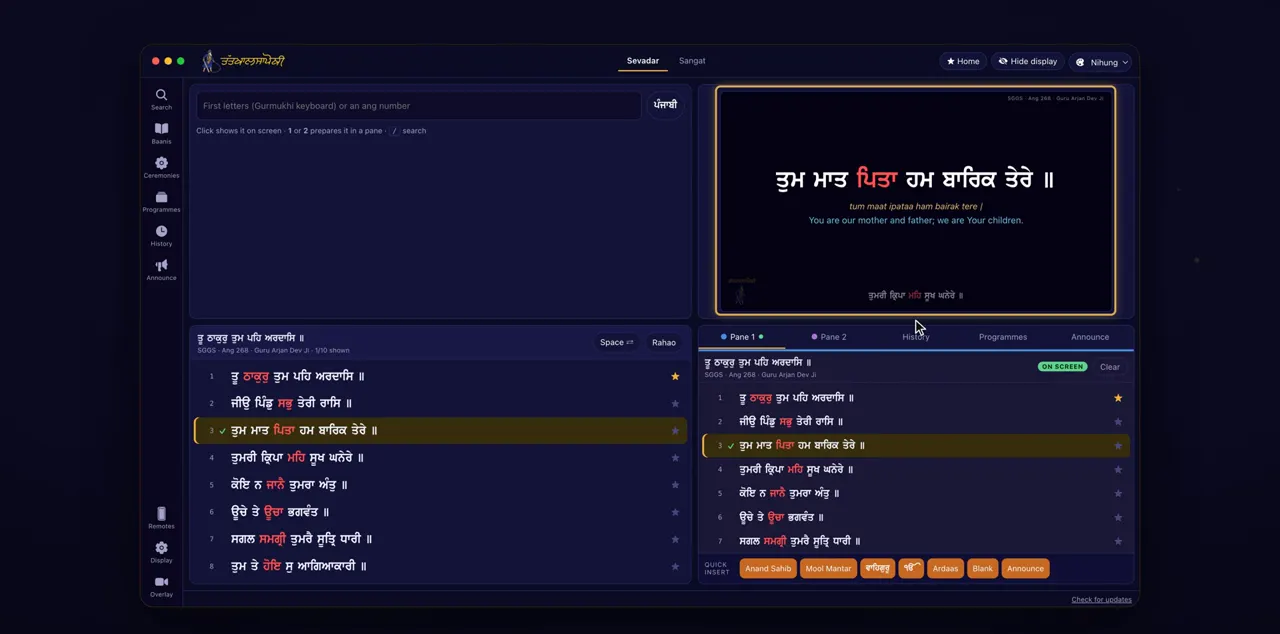
When it's time, open the pane and click a line. The shabad goes on the screen from that line.
Click the Pane 1 or Pane 2 tab on the right. A filled pane shows its shabad, the hint Click a line to show it, and a Clear button. Once a line is on the screen, the pane shows On screen.
History
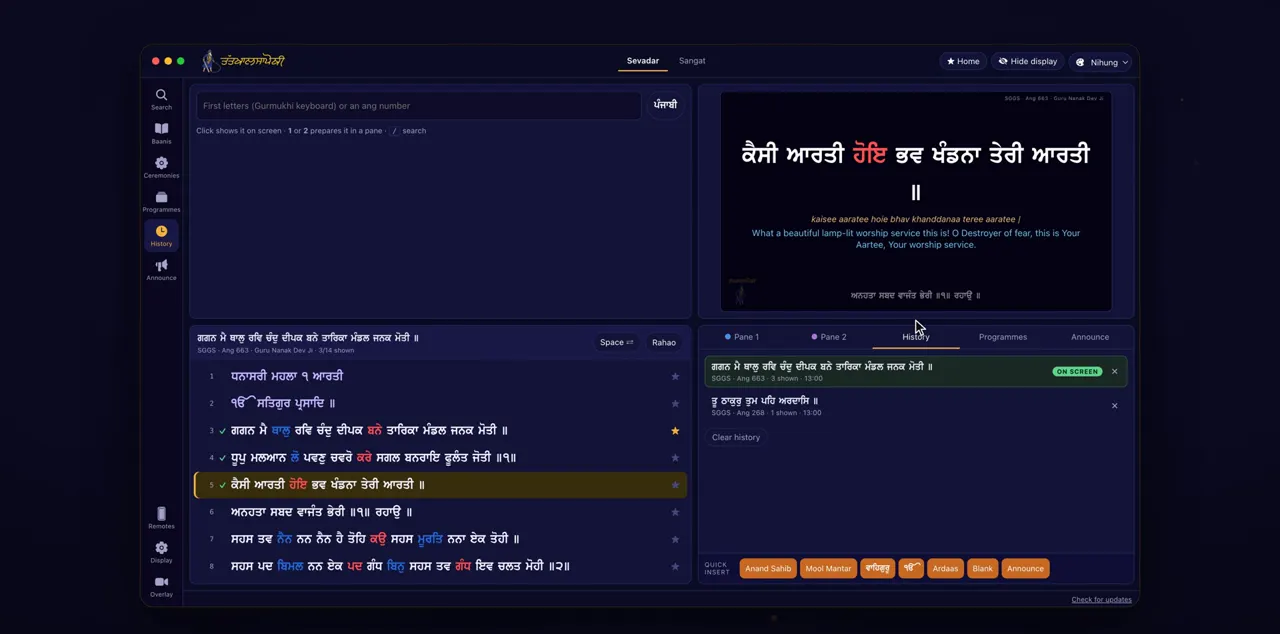
To go back to an earlier shabad, click it in History. It comes back where you left it, with its checkmarks.
History is the tab on the right, beside Pane 1 and Pane 2. It lists every shabad shown, each with its place and checkmarks. The checkmarks are kept for 12 hours.
Tips
- With two panes, you can keep two shabads ready at once.
- Clear in a pane empties it when you no longer need that shabad.
Questions
Does preparing a shabad change what the sangat sees?
No. The 1 and 2 buttons and Shift and Enter only fill a pane. Nothing changes on the screen until you click a line in the pane.
Which pane does Shift and Enter use?
It always puts the top result in Pane 1. To use Pane 2, click the 2 button beside the result.
Where does a shabad start when I bring it back from History?
It comes back at the line where you left it, with its checkmarks.
How long does History keep the checkmarks?
The checkmarks are kept for 12 hours.