
You can find any shabad by the first letter of each word. Here's how.
Before you start
- Tat Khalsa Pothi open on your laptop
- A projector connected, if you want to see the shabad arrive on screen
- The line you want to find, so you know the first letter of each word
Step by step
Type the first letters
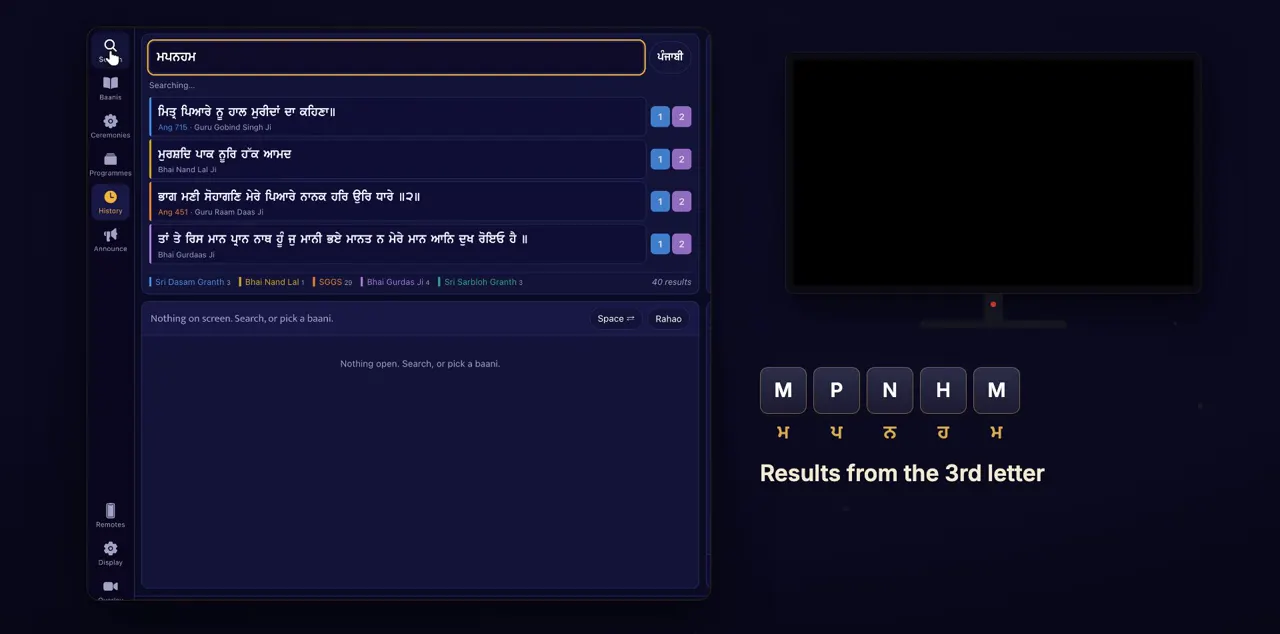
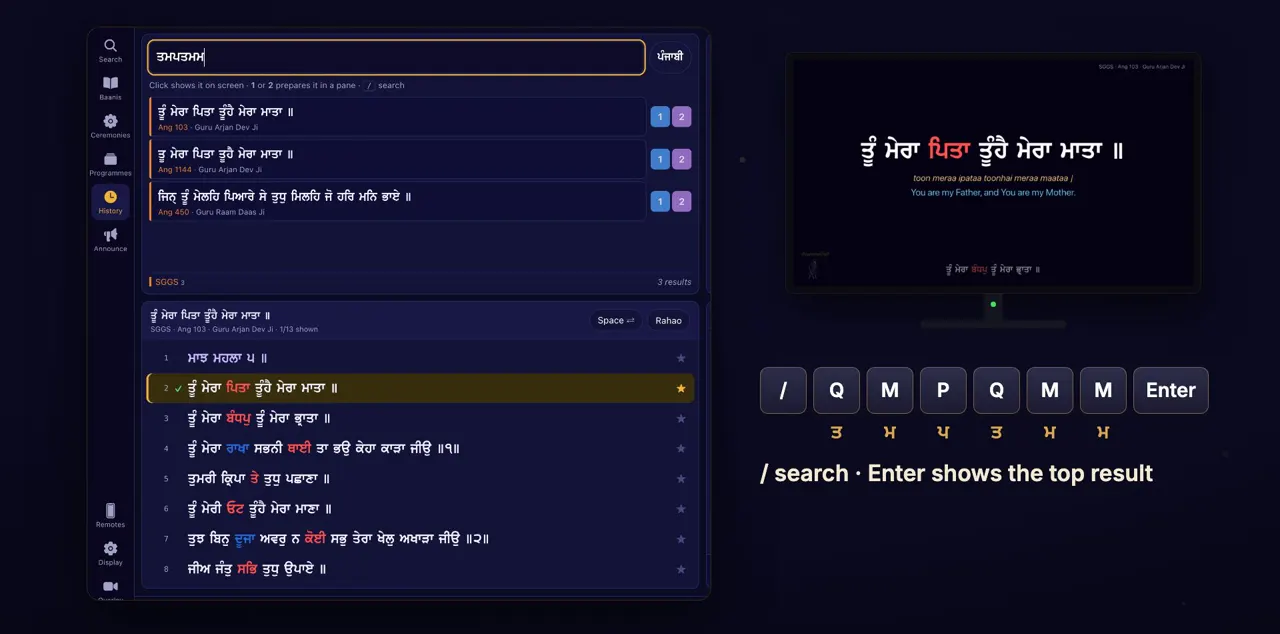
Click Search, and type the first letter of each word of the line. In Punjabi mode, the ordinary keys type Gurmukhi. Results appear from the third letter, and narrow as you type.
Search is in the rail on the left of the window. In Punjabi mode the box reads First letters (Gurmukhi keyboard) or an ang number, and the M key types ਮ, P types ਪ, and so on. You see up to 40 shabads, one row each, with its ang where it has one, and its writer.
Or in English letters
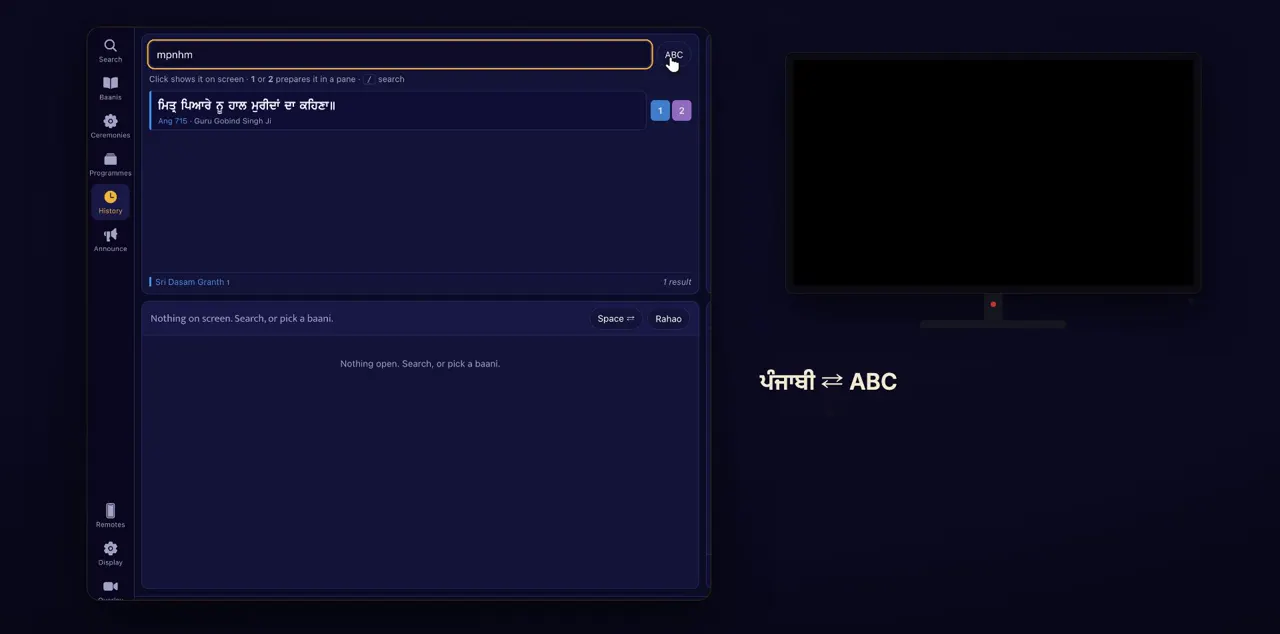
Prefer English letters? Click the Punjabi button to switch to ABC. The same letters find the same shabad.
The button is beside the search box. It reads ਪੰਜਾਬੀ in Punjabi mode, which is how the app starts, and ABC after you click it. Switching keeps the letters you typed and searches again. In ABC mode the box reads First letters in English, e.g. asjs, or an ang number.
Narrow it by granth
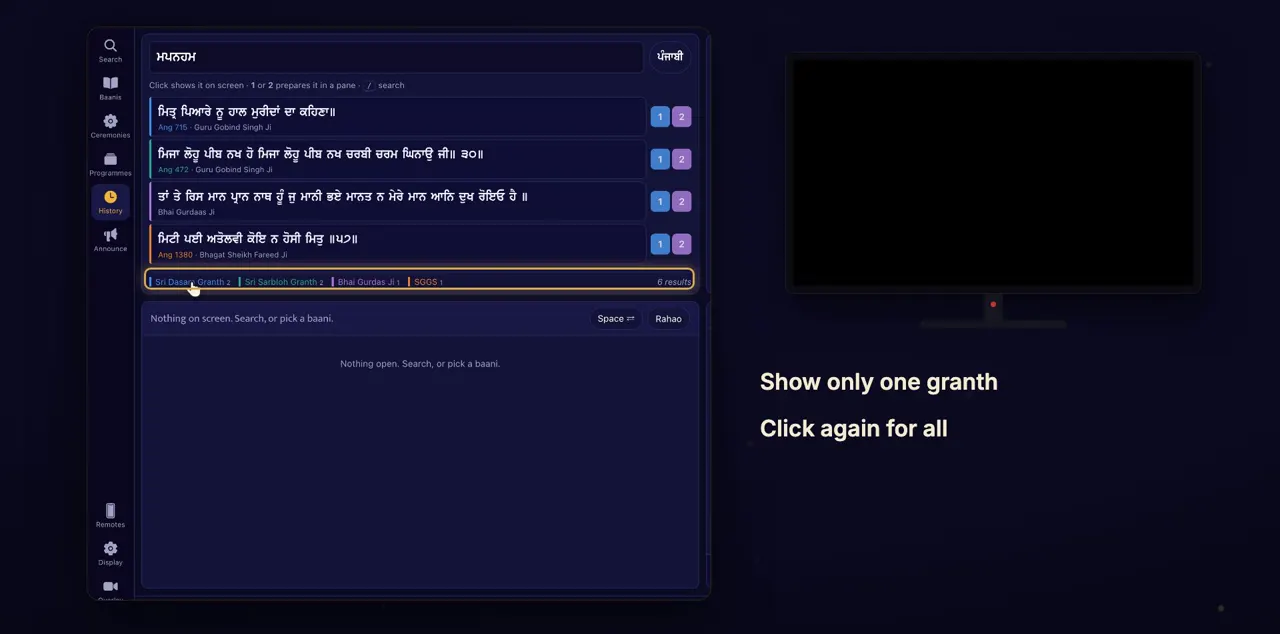
Each result is coloured by its granth: Sri Guru Granth Sahib Ji, Sri Dasam Granth Sahib Ji, Sri Sarbloh Granth Sahib Ji, and the writings of Bhai Gurdas Ji and Bhai Nand Lal Ji. Click a granth at the bottom to see only its results. Click it again to see them all.
The buttons sit under the results, one for each granth that has results, each with a count. Their labels are short: SGGS, Sri Dasam Granth, Sri Sarbloh Granth, Bhai Gurdas Ji and Bhai Nand Lal.
Show it on screen
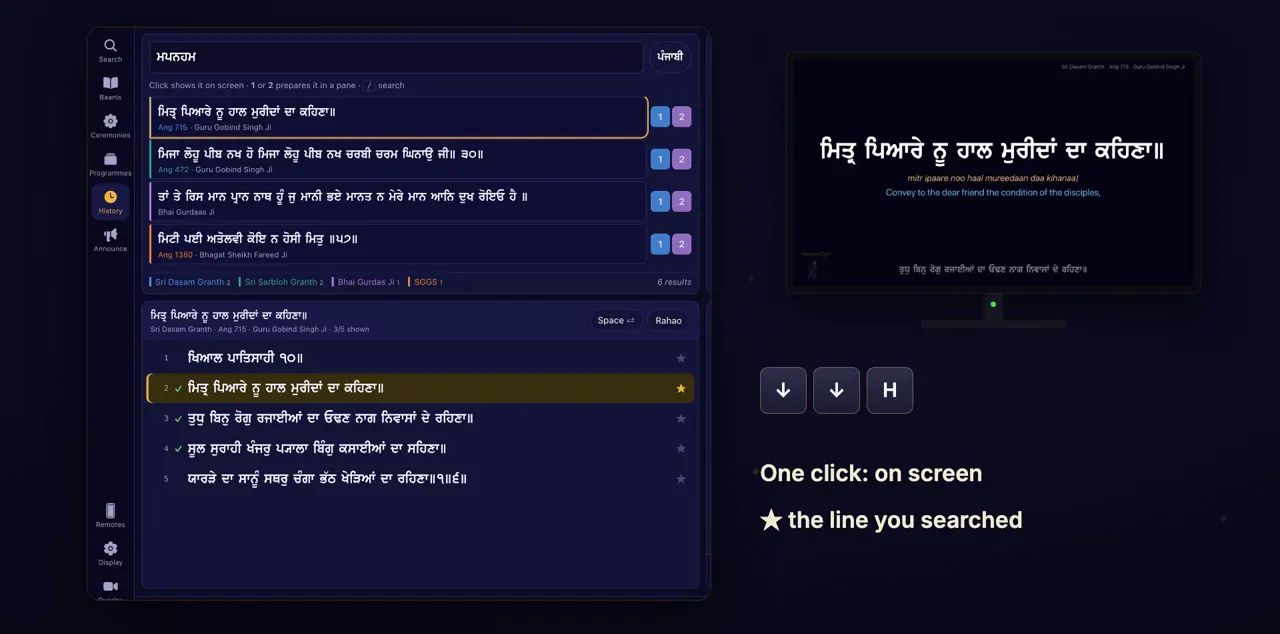
Click a result, and it's on the screen at once. The line you searched for becomes the home line, marked with a star. Move to other lines, and H always brings you back to it.
Use the down and up arrow keys to move through the lines. The star stays on the line you searched for, so you can always find your way back.
From the keyboard
Faster still: press / to search from anywhere, type the letters, and press Enter to show the top result.
Slash also selects whatever is already in the box, so you can type straight over it. Check the top row before you press Enter, because Enter shows it at once. Escape in the box clears it.
Tips
- Too many results? Type the next letter or two of the line, or click a granth at the bottom.
- Results start from the third letter, so type at least three before you look.
Questions
Do I need a Punjabi keyboard?
No. In Punjabi mode, the ordinary keys on any keyboard type Gurmukhi letters in the box. Or switch to ABC and type the first letters in English.
How do I search only in Sri Guru Granth Sahib Ji?
Type the letters, then click SGGS in the row under the results. Click it again to see results from every granth.
Does search work without internet?
Yes. The Gurbani database is inside the app, so search works with no connection. What you type in search is never sent.